
From Plans to Power: A Beginner’s Journey in Wiring Diagram Creation for Industrial Projects
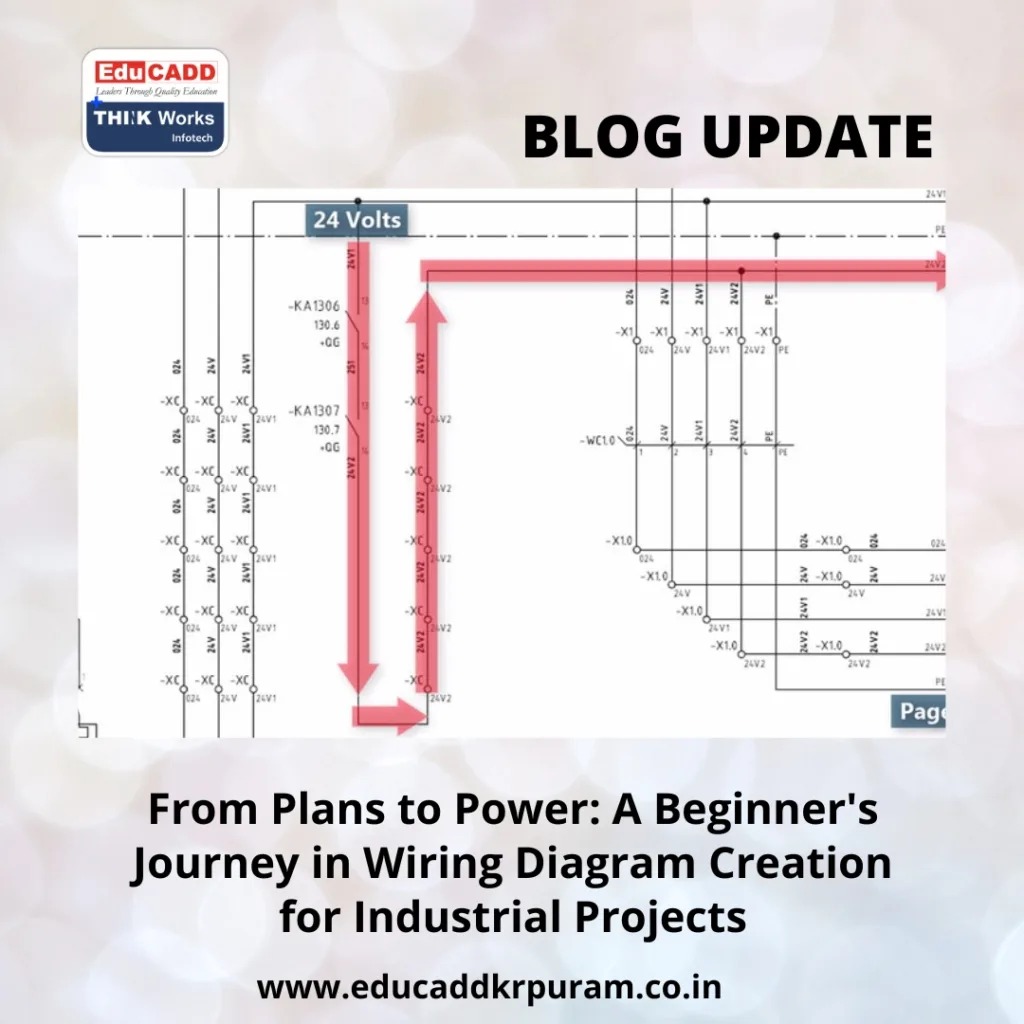
Industrial Wiring Diagram Guide
1. What Makes Wiring Diagrams Crucial for Industrial Success
In any industrial setting, functionality depends on a well-orchestrated electrical system. Whether it’s powering conveyor belts or synchronizing automation systems, everything runs through one invisible network—wires. That’s where Industrial Wiring Diagram Guide creation for projects comes into play.
A wiring diagram does more than show connections. It visualizes how machines communicate, how energy flows, and where safety components reside. Unlike residential circuits, industrial projects involve greater complexity. One missing connection or mislabelled component can bring an entire production line to a halt.
Furthermore, wiring diagrams serve multiple stakeholders:
-
Designers use them to plan systems.
-
Installers use them to wire machines accurately.
-
Maintenance teams refer to them for fault finding.
-
Auditors use them for compliance and safety checks.
Without clear diagrams, chaos is inevitable. Even in well-managed factories, outdated or unclear wiring drawings can delay repairs, reduce efficiency, and increase risks. That’s why mastering wiring diagram creation is essential—even for beginners. It’s a skill that blends logic, software proficiency, and industry standards into one powerful tool for execution.
2. Laying the Groundwork: Learning the Language of Diagrams
Before diving into tools or techniques, it’s crucial to speak the language of electrical design. Every line, symbol, and label has a specific meaning. For beginners, knowing these basics is like learning grammar before writing essays.
Key Symbol Categories to Understand
-
Power Symbols: Represent transformers, fuses, circuit breakers.
-
Control Symbols: Include relays, switches, PLC inputs/outputs.
-
Grounding & Protective Devices: Show how systems stay safe.
-
Connection Symbols: Show wire junctions, nodes, or terminations.
-
Wire Numbers & Labels: Help track cables across pages or locations.
Most symbols adhere to international standards. Depending on where you work, you’ll follow IEC, ANSI, or IS conventions. Make sure your diagram uses only one consistent standard to avoid confusion.
Common Diagram Types and Their Role
-
Schematic Diagrams: Ideal for planning control logic and signal flow.
-
Wiring Diagrams: Perfect for physical installation and routing.
-
Single-Line Diagrams: Show simplified overviews, often used by project managers or clients.
-
Loop Diagrams: Useful in process industries for instrumentation lines.
-
Cable Schedules: Complement wiring diagrams by listing cable specs and connections.
By familiarizing yourself with these building blocks, you’ll be able to understand existing diagrams and start creating your own confidently. Think of it as mastering the blueprint of a building before laying the foundation.
3. Step-by-Step Process of Creating Industrial Wiring Diagram Guide
Now that you know what to expect, let’s explore how to create a wiring diagram that’s accurate, clear, and field-ready. The process is both logical and iterative, requiring attention to detail at every stage.
Step 1: Gather Project Data
Start with the equipment list, power ratings, control flow, and automation sequences. Speak with electrical engineers, process owners, and technicians to ensure you get the full picture.
Step 2: Choose Your Diagram Type
Decide whether you need a schematic, wiring layout, or a single-line diagram—or all of them. In most cases, industrial projects use multiple diagram types for different phases.
Step 3: Select the Right Software
Manual drafting isn’t practical. Use tools like:
-
AutoCAD Electrical for in-depth schematic creation.
-
EPLAN Electric P8 for automation-heavy systems.
-
SolidWorks Electrical for 3D-integrated wiring.
-
SmartDraw or QElectroTech for lighter, user-friendly design.
Step 4: Start Drafting
Using your software:
-
Insert standard symbols.
-
Define control loops.
-
Draw power feeds and return paths.
-
Mark connection points with terminals and pin numbers.
-
Number every wire uniquely and add descriptive labels.
Step 5: Simulate and Review
Some advanced tools offer simulation modes to test your circuit logic. Otherwise, run a checklist:
-
Are all symbols consistent?
-
Are wires properly numbered?
-
Is the circuit looped correctly?
-
Do voltage and load ratings match component capacities?
Step 6: Document and Finalize
Add supporting files: BoM (Bill of Materials), legends, panel layout references, and revision history. Export your files in editable and sharable formats like DWG or PDF.
Throughout this process, remember: clarity is more important than complexity. A wiring diagram should make life easier for everyone who sees it—from seasoned engineers to new interns.
4. Mistakes That Beginners Must Avoid
Creating your first wiring diagram can be intimidating. And while tools can simplify things, small mistakes often snowball into larger problems. Here are the most common pitfalls beginners should avoid.
1. Mixing Standards
Never mix ANSI and IEC symbols in one diagram. It causes confusion, especially when multiple teams are involved. Stick to one standard across the board.
2. Missing or Incorrect Labels
Wire numbers and component labels are non-negotiable. If labels are skipped, installation becomes a guessing game. This also makes future troubleshooting almost impossible.
3. Overcrowding the Layout
Some beginners try to fit every detail onto one page. Instead, use cross-referencing and pagination. It keeps things organized and readable.
4. Forgetting Protective Elements
Always include fuses, breakers, and grounding paths. Their absence not only violates safety codes but can lead to equipment damage or even personal injury.
5. Lack of Revision Management
Wiring diagrams evolve. Always maintain a revision history. Each version should include who edited it, when, and why. This builds accountability.
6. Skipping Field Verification
Just because it looks good on screen doesn’t mean it’s correct in real life. Test against the physical setup. Walk the factory floor with your diagram and match it wire-by-wire.
Avoiding these common mistakes keeps your project on track, builds your credibility, and earns you trust from your team and clients.
5. Future-Proofing Your Skills in Wiring Design
As industries lean more on automation, robotics, and IoT, the importance of accurate and dynamic wiring diagrams only grows. But trends are changing. And if you’re starting out, now is the best time to learn what’s coming next.
The Shift Toward Smart Panels
Modern industrial panels now include sensors, HMIs, and networked PLCs. Your diagrams must incorporate Ethernet lines, signal converters, and diagnostic circuits.
Cloud-Based Diagram Sharing
Teams are going remote. Tools like EPLAN Cloud or Autodesk’s cloud suite allow multi-user collaboration. Learning cloud tools early gives you an edge.
Automated Diagram Generation
AI-assisted drafting is gaining popularity. Once you define inputs, outputs, and logic blocks, the software can auto-generate preliminary diagrams. Expect to see this grow.
Integration With Other Disciplines
Electrical designers are working closely with mechanical and instrumentation teams. Learning basic knowledge of other domains boosts collaboration and job opportunities.
Certifications That Help
Here are a few worth pursuing:
-
Certified Electrical Drafter (CED)
-
EPLAN Certified Engineer
-
AutoCAD Electrical User Certification
-
TUV Rheinland Functional Safety Training
Investing in your skillset today ensures you’re prepared for tomorrow’s smart, integrated, and data-driven factories.
Conclusion: Wiring the Future, One Diagram at a Time
Mastering Industrial Wiring Diagram Guide for projects is more than learning software—it’s about solving real-world problems with precision and clarity. Each diagram you create contributes to safer machines, smoother processes, and smarter industries.
For beginners, the journey starts with understanding diagram types, industry standards, and process flow. From there, using the right tools and following structured steps turns complex ideas into functional electrical blueprints.
Mistakes are part of learning, but awareness can help you avoid the most common ones. And as technology evolves, staying updated and future-ready ensures long-term success in this field.
Ultimately, the best wiring diagrams aren’t just technically accurate—they’re easy to read, easy to implement, and built to adapt. And when you can create such diagrams, you don’t just support industrial systems—you help power the entire operation.

