
Designing Smarter Interiors with SketchUp: A Beginner’s Path to Space Planning
Interior design is more than picking paint colors or moving chairs around. At its core, it’s about transforming spaces into functional, comfortable, and aesthetically pleasing environments. In today’s digital era, design has shifted from paper sketches to interactive 3D models that bring concepts to life before any physical change occurs. Among the many design platforms available, SketchUp for Interior Space Planning – Learn the Basics stands out as one of the most intuitive and practical options for both new learners and professionals.
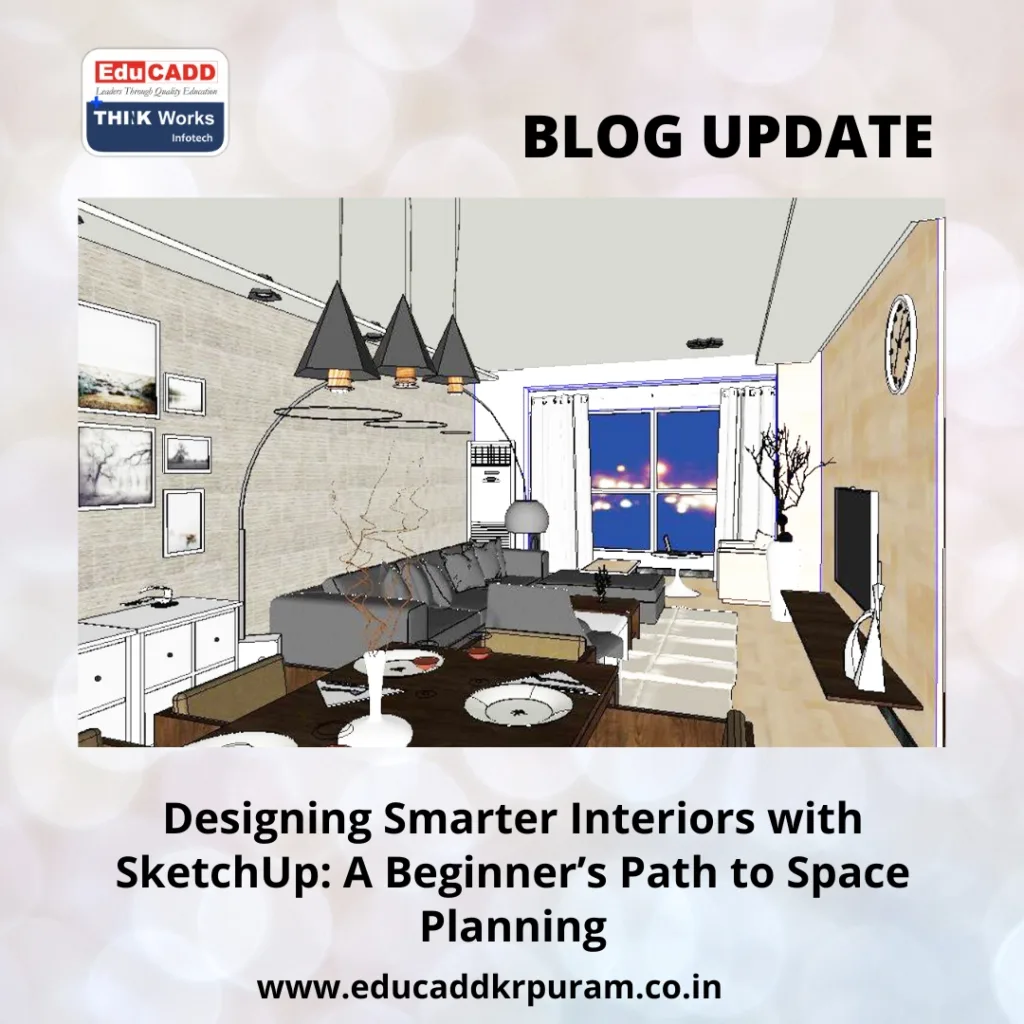
SketchUp Interior Space Planning
This blog takes you through how SketchUp simplifies interior planning, the essential features you should start with, and the ways you can advance your skills. By the end, you’ll see how this tool can help you create beautiful, well-organized interiors with confidence.
Why SketchUp is a Game-Changer for Interior Planning
Every interior project comes with its own set of challenges. Balancing proportions, ensuring good flow, and keeping aesthetics intact are not easy tasks. Traditional methods like 2D sketches offer a starting point but often fall short when it comes to visualizing depth and dimension. That’s where SketchUp for Interior Space Planning – Learn the Basics comes into play.
SketchUp has earned a reputation for being user-friendly. Unlike many professional CAD tools that demand extensive training, it gives beginners an approachable way to start designing almost immediately. You can draft floor plans, raise walls, and place objects within just a few minutes of learning the basics.
Its strength lies in flexibility. The software enables you to explore layouts, add furniture, experiment with textures, and even simulate natural light. This ensures that the end result is not only visually attractive but also practical for everyday living.
Another key advantage is the 3D Warehouse, an enormous library filled with ready-to-use models. Whether you need a chair, a lamp, or a cabinet, you can drag and drop components directly into your design. This speeds up your workflow while making your interiors more realistic.
By combining accuracy with creativity, SketchUp empowers users to transform ideas into designs that feel complete and professional.
First Steps: Getting Comfortable with SketchUp
The journey with SketchUp begins with understanding its interface. For newcomers, SketchUp for Interior Space Planning – Learn the Basics doesn’t overwhelm—it introduces tools in a straightforward way.
The first task is setting up units of measurement. Choosing feet, inches, or meters ensures that your virtual space aligns with real-world dimensions. Once this is done, you can start drafting layouts using the drawing tools. With simple rectangles, lines, and arcs, you can map out a floor plan.
The push-pull feature turns flat surfaces into 3D forms. For example, you can extrude walls or create counters in seconds. Adding doors and windows is also effortless thanks to SketchUp’s component tools and pre-made models. These features allow you to focus on design rather than spending hours on technical details.
If you’re just starting out, begin with a small project. Redesign a bedroom, sketch a study corner, or model a living room. Working with smaller spaces builds confidence without creating unnecessary complexity. Over time, you’ll find it easier to handle larger projects, like entire apartments or office layouts.
This step-by-step learning process makes SketchUp ideal for those who want to see quick results while developing strong design fundamentals.
Blending Function and Style in Your Designs
Great interiors are not just about appearances—they must also function smoothly. With SketchUp for Interior Space Planning – Learn the Basics, you can test different approaches to balance usability and style.
Start by identifying the purpose of the room. A dining space, for instance, prioritizes comfort and movement around the table, while a home office emphasizes focus and efficiency. SketchUp helps you experiment with layouts that serve these functions without sacrificing aesthetics.
Scale is another factor that often causes challenges. A piece of furniture that looks perfect in a store might dominate a smaller room. In SketchUp, you can test these proportions by placing actual models in your 3D layout. This prevents costly errors and ensures the space feels balanced.
Colors and textures bring personality into a room. SketchUp offers material libraries that let you apply wood, stone, or fabric finishes instantly. Trying different combinations digitally gives you a clearer idea of what works before making any purchase.
Lighting ties everything together. Natural light simulations show how sunlight impacts your design throughout the day, while artificial lighting models help you set the mood. You can plan cozy, dimly lit corners or bright, energetic work areas—all within the same platform.
This mix of functionality and aesthetics makes SketchUp a powerful tool for creating interiors that look good and work even better.
Improving Efficiency: Smart SketchUp Techniques
Mastering SketchUp for Interior Space Planning – Learn the Basics isn’t just about learning features—it’s also about adopting habits that make your workflow efficient.
-
Organize with groups and layers: By grouping objects, you protect them from accidental edits. Layers allow you to switch elements on and off, making large projects easier to manage.
-
Leverage the 3D Warehouse: Don’t reinvent the wheel. Import ready-made models for furniture and fixtures to save time and add realism.
-
Learn shortcuts early: Simple key commands for moving, scaling, and rotating can drastically reduce the time you spend on repetitive actions.
-
Experiment without fear: SketchUp lets you undo or redo instantly. Test bold ideas—different layouts, unusual colors, or unique textures—without worrying about mistakes.
-
Enhance visuals with rendering tools: While SketchUp shows the basics, rendering extensions like V-Ray add lifelike shadows, reflections, and finishes. This makes presentations more compelling, especially for clients.
Using these strategies ensures that your projects move faster and produce professional-grade results without unnecessary frustration.
Moving Forward: From Basics to Advanced Design
Once you’re comfortable with the basics, SketchUp opens doors to more advanced techniques. Interior design is a dynamic field, and the software adapts well as you grow in skill and ambition.
A practical way to advance is by studying real interiors and recreating them digitally. This sharpens your understanding of proportion, balance, and design flow. Over time, you’ll develop a trained eye for what works and what doesn’t.
Exploring plugins and extensions can further elevate your skills. Tools like Layout allow you to create polished presentations, while rendering engines provide photorealistic images that wow audiences.
Collaboration also accelerates learning. Sharing designs with peers, mentors, or clients leads to feedback that highlights both strengths and areas for improvement. This cycle of input and refinement builds your confidence and expertise.
Lastly, challenge yourself with varied projects. Try a studio apartment, then move on to an office floor plan, and later experiment with retail spaces. Each project adds new skills and broadens your adaptability as a designer.
With consistent practice, you’ll go beyond creating simple layouts—you’ll craft spaces that inspire, function seamlessly, and reflect true creativity.
Conclusion
Interior planning becomes far less intimidating when you have the right digital companion. SketchUp offers exactly that—an intuitive, versatile platform that bridges the gap between imagination and execution. By starting with the basics, you can design floor plans, experiment with textures, and visualize lighting conditions before making real-world decisions.
Focusing on both functionality and beauty, SketchUp allows you to create interiors that not only look appealing but also enhance daily living. With practice, smart workflow habits, and continuous learning, you can progress from a beginner to a skilled designer who produces impactful, professional designs.
If you’re ready to transform your spaces, dive into SketchUp for Interior Space Planning – Learn the Basics today. It’s not just software—it’s the creative partner that helps you design smarter, faster, and with greater confidence.

