
Designing Smarter Spaces: Learn to Draft Modular Furniture Layouts
The way we design interiors has transformed drastically in recent years. With limited space and growing lifestyle demands, traditional fixed furniture often falls short. That’s why Modular Furniture Layout Design has become the go-to solution for modern living and working environments. Its flexible design adapts to different needs, but the secret to unlocking its full value lies in proper planning. Learning to draft modular furniture layouts helps you create interiors that are functional, stylish, and future-ready. This guide explores the principles, tools, and strategies that will equip you to design layouts that bring balance, comfort, and innovation to any space.
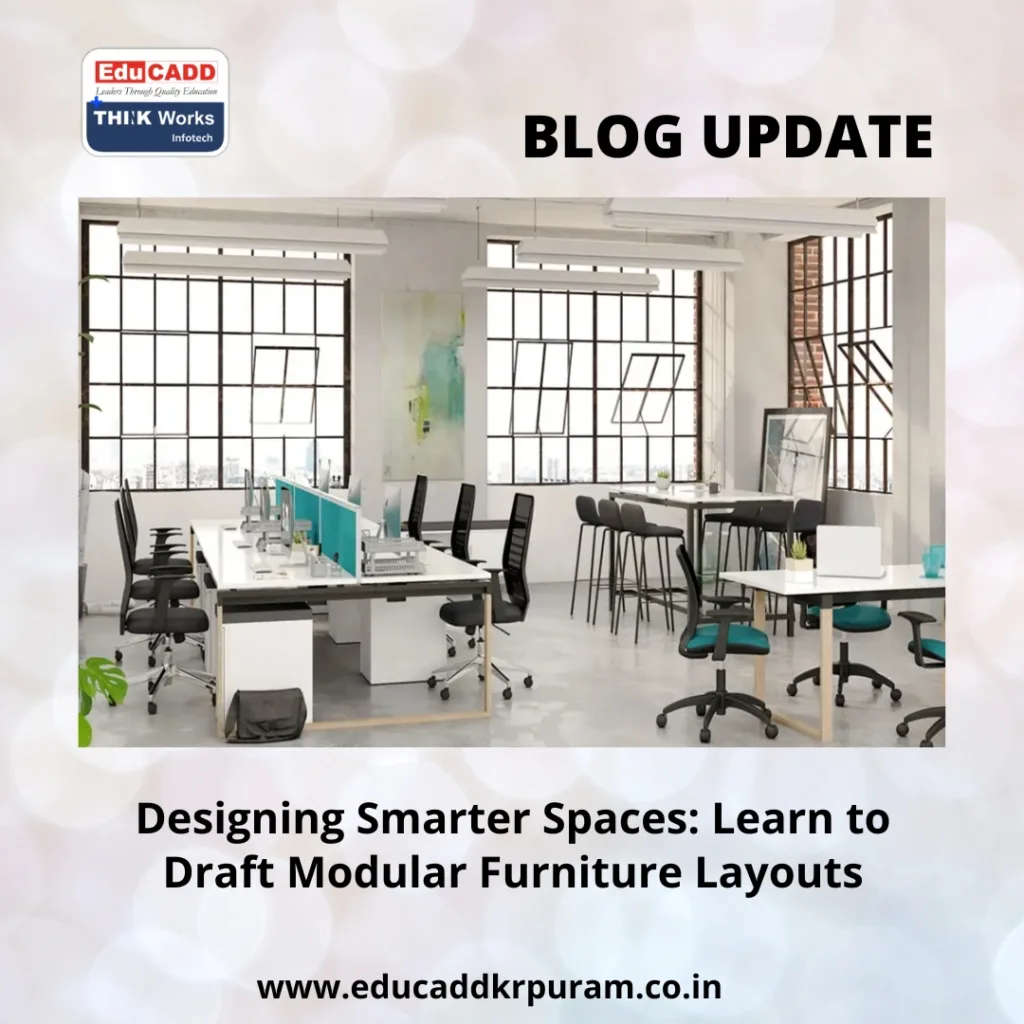
Modular Furniture Layout Design
1. Key Concepts Behind Modular Furniture Layouts
Before you begin drafting, it’s important to grasp the core ideas behind modular layouts. Unlike traditional pieces, modular furniture is designed to be versatile. You can reconfigure, expand, or shrink it based on the situation. This adaptability makes it perfect for homes, offices, and even retail spaces.
When drafting modular layouts, focus on three essential aspects: purpose, scale, and adaptability. First, define the purpose of the space. Is it a living area, a study, or a shared office? Each has different requirements. Next, maintain scale by matching furniture size to room dimensions. Oversized furniture in a small room looks cramped, while too-small pieces feel incomplete. Lastly, adaptability ensures your layout can evolve with lifestyle changes, such as a family growing or a business expanding.
Ergonomics also play a major role. Layouts should support comfort and usability. For instance, leaving at least three feet of clearance around seating areas ensures smooth movement. By prioritizing comfort, efficiency, and flexibility, your drafted layouts will look polished and work seamlessly in real life.
2. Tools and Methods for Drafting Effective Layouts
Drafting modular furniture layouts requires both creativity and technical precision. Traditional hand sketches still work, but digital tools make the process faster and more accurate. Software like AutoCAD, SketchUp, and Revit allows you to build scaled floor plans and even visualize them in 3D.
The process begins with measuring the space. Note down wall lengths, ceiling height, window placement, and electrical points. Once you have accurate measurements, create a base plan. Digital design platforms often include pre-built modular furniture models that can be dragged into the plan for quick layout testing.
To organize spaces better, use zoning techniques. Divide the area into functional zones—such as lounging, working, or dining—before placing modular units. Circulation planning is another vital method. Draft pathways wide enough to allow easy movement without obstruction.
Experimentation is key. Don’t stop at one layout. Try different arrangements until you find the one that balances function and style. For instance, modular shelving can serve as a storage wall or even a divider between two functional zones. Each iteration helps you refine the design.
3. Creating Layouts That Balance Beauty and Function
Drafting modular furniture layouts is more than arranging furniture on a floor plan—it’s about shaping spaces that feel welcoming, practical, and visually appealing. The best layouts combine function with style.
Start with minimalism. Modular systems already maximize efficiency, so avoid filling the room with unnecessary pieces. For example, an L-shaped modular kitchen can combine preparation, cooking, and storage without overwhelming the space.
Symmetry and balance add harmony. Bedrooms or study areas benefit from symmetrical designs that promote order, while creative studios thrive with asymmetrical layouts that inspire energy. The right balance depends on the space’s purpose.
Circulation planning ensures comfort. Always leave enough walking space, and make sure furniture placement doesn’t block windows or doors. Lighting is equally important. Keep taller storage away from natural light sources, and use modular lighting solutions to highlight functional areas.
Materials and finishes also influence the final look. Combine warm wooden tones with soft lighting for a cozy feel, or use sleek metal with bold colors for a modern touch. A well-drafted plan doesn’t just place furniture—it visualizes how textures, finishes, and colors will interact.
Above all, modular layouts should remain flexible. Draft with adaptability in mind, allowing furniture to be reconfigured. A wall-mounted modular desk can double as a dining table, while sectional sofas can shift into different seating arrangements. This ensures your layouts stay practical and stylish for years.
4. Common Drafting Errors and How to Avoid Them
Even experienced designers can make mistakes while drafting modular furniture layouts. Knowing what to avoid will help you deliver stronger results.
One of the biggest errors is misjudging scale. Choosing furniture that is too large makes a room feel cramped, while undersized pieces leave it underutilized. Always draft using accurate dimensions and scaled models.
Another mistake is neglecting circulation. Placing modular units too close to each other blocks natural pathways. Always allow at least three feet of clearance for movement.
Lighting errors also affect usability. For example, placing tall shelves in front of windows reduces natural light. Drafting should always account for how furniture interacts with both natural and artificial lighting.
Storage often gets overlooked. Without sufficient storage, even the best layouts can look messy. Integrate modular storage solutions like under-bed drawers, vertical shelving, or hidden cabinets to maintain order.
Lastly, failing to consider user needs makes layouts impractical. A student, for instance, requires a modular desk and storage for books, while a family might need child-friendly configurations. By aligning layouts with actual lifestyles, you ensure functionality alongside aesthetics.
5. Practical Steps to Improve Your Drafting Skills
Like any skill, drafting modular furniture layouts improves with practice and continuous learning. The following tips will help you master the process.
Start by observing real-world examples. Study professional modular layouts in magazines, design websites, or showrooms. Notice how they balance open space, circulation, and functionality.
Practice with smaller projects before moving to larger ones. Draft layouts for single rooms to understand proportions, then expand to full apartments or offices. This gradual approach builds confidence and sharpens your eye for detail.
Seek feedback whenever possible. Show your drafts to peers, mentors, or design communities online. Constructive critique reveals areas you might overlook.
Stay updated with current modular trends. Innovations like foldable workstations, multipurpose wall panels, and eco-friendly materials are shaping the future of modular layouts. Including these in your drafts keeps your designs relevant.
Consider formal training if you want to build expertise. Short courses in drafting software like AutoCAD or SketchUp provide practical skills, while certifications enhance credibility. These tools, combined with practice, help you transition from beginner to professional-level design.
Conclusion
Learning to Modular Furniture Layout Design is more than a technical skill—it’s a creative process that blends flexibility, function, and aesthetics. By applying key principles, using the right tools, focusing on both comfort and style, and avoiding common errors, you can create layouts that meet modern demands. With practice and awareness of evolving design trends, your skills will grow steadily, enabling you to shape spaces that feel both beautiful and efficient.
Whether you are an aspiring designer, an architect, or someone interested in upgrading your home, drafting modular layouts empowers you to think creatively and design with purpose. Every draft you create brings you closer to mastering this art and shaping smarter, more versatile spaces.

