
Interior Rendering Secrets: How to Impress Clients with Stunning Visuals
In the world of interior design, first impressions matter. A Stunning Interior Rendering Tips can turn an abstract concept into a tangible, immersive experience. Clients don’t just want to see floor plans—they want to feel the space before construction begins. By learning interior rendering techniques that wow clients, designers can elevate their presentations, increase approval rates, and leave a lasting impression.
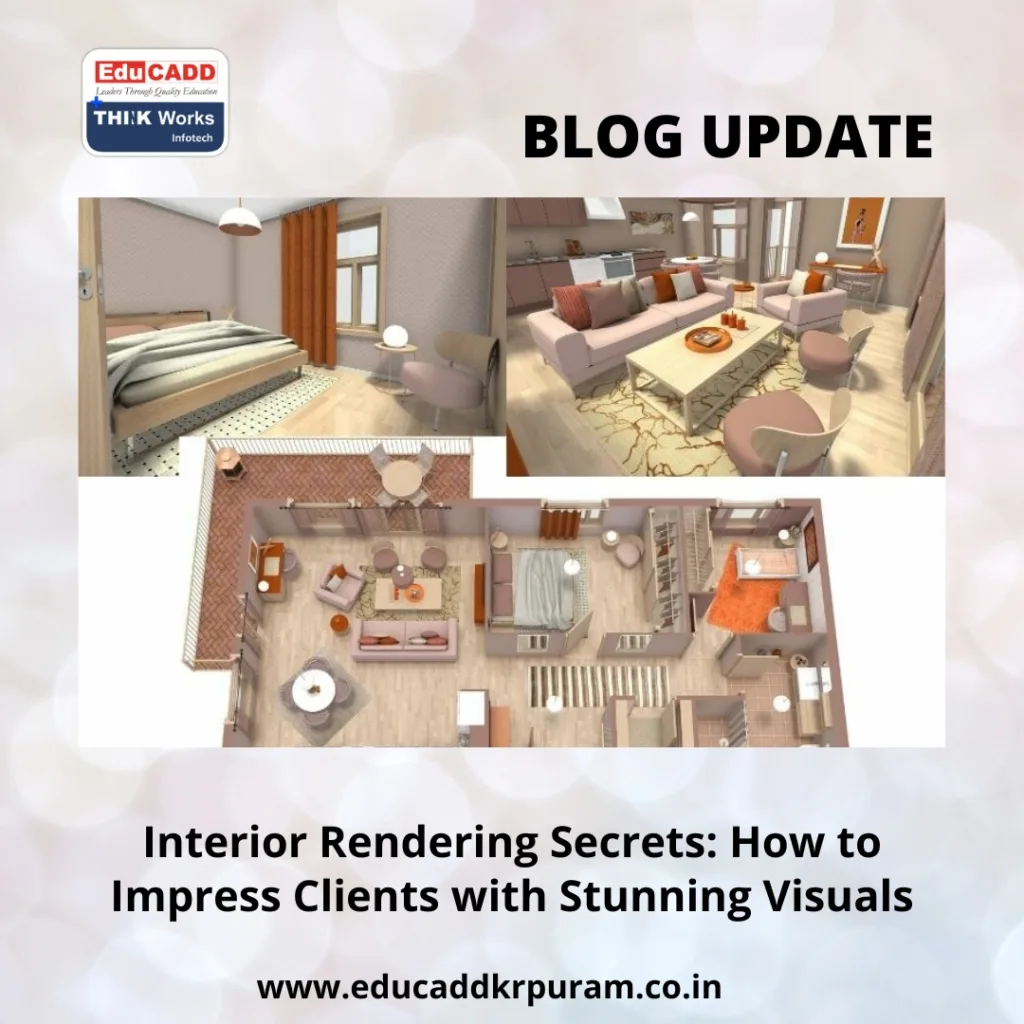
Stunning Interior Rendering Tips
Interior rendering is more than decoration—it’s storytelling. The right combination of light, texture, and perspective creates an emotional connection between the client and the design. This guide explores the most effective strategies to create renderings that impress and persuade, ensuring your designs always stand out.
Why Interior Rendering is Crucial for Modern Design
The days of relying solely on sketches or 2D plans are over. While these traditional methods communicate structure, they fall short in showing spatial depth, lighting, and material realism. High-quality interior renderings give clients a near-real experience of a space, allowing them to make informed decisions and feel confident in your vision.
Beyond communication, interior renderings are a marketing tool. Photorealistic visuals elevate your portfolio, enhance client trust, and increase project approval rates. Designers who excel at rendering demonstrate professionalism, technical expertise, and a keen eye for detail.
Choosing the Right Software for Professional Renderings
The foundation of effective interior rendering techniques that wow clients lies in the tools you use. Different software options offer unique benefits:
-
3ds Max + V-Ray: Excellent for photorealistic lighting and texturing.
-
SketchUp + Enscape/V-Ray: Ideal for quick concept iterations with realistic outputs.
-
Blender: Free, yet powerful, supporting animation and detailed lighting effects.
-
Lumion: Real-time rendering for interactive client presentations.
-
Autodesk Revit: Combines BIM capabilities with high-quality visualization.
Selecting the right software depends on your workflow, project scale, and client expectations. Combining tools strategically can maximize efficiency and visual impact.
Lighting Techniques That Elevate Your Renderings
Lighting is the key to creating immersive and realistic interiors. Proper lighting transforms ordinary renderings into visually striking presentations.
Harnessing Natural Light
Accurately simulating sunlight adds realism and ambiance. Consider window placement, sun orientation, and the intensity of daylight at different times. HDRI maps help replicate real-world lighting effects, including subtle reflections and shadows.
Designing Artificial Lighting
Artificial lights—ambient, task, and accent—enhance realism. Warm tones create a cozy atmosphere, while cooler tones convey modern sophistication. Strategic placement highlights furniture, artwork, and architectural features.
Global Illumination for Depth
Global illumination simulates how light bounces in a space. It enhances realism by showing indirect lighting effects, such as reflections off walls or floors. Adjust light intensity carefully to maintain a natural, balanced look.
Textures and Materials That Add Realism
No rendering feels convincing without accurate textures and materials. Fine details are essential for interior rendering techniques that wow clients.
High-Resolution Textures
Textures should be crisp and realistic. Low-resolution materials often appear blurry and repetitive, breaking immersion. Use high-quality textures for floors, walls, fabrics, and furniture.
Material Properties
Control reflectivity, roughness, and transparency to mimic real-world materials. Glossy surfaces reflect light differently than matte finishes. Fine-tuning material properties ensures surfaces behave naturally under various lighting conditions.
Subtle Imperfections
Perfectly uniform surfaces look artificial. Add minor flaws like scratches, wrinkles, or smudges to create authenticity. Clients subconsciously notice these details and perceive your designs as more realistic.
Composition and Perspective: Making Your Renderings Engaging
Presentation is critical. How a room is framed and viewed can determine whether it captivates or disappoints.
Choosing Camera Angles
Select angles that highlight spatial layout and key design elements. Wide-angle shots provide context, while close-ups emphasize textures and details. Avoid extreme angles that distort proportions.
Framing and Visual Balance
Use photographic principles like the rule of thirds to create visually pleasing compositions. Proper framing directs the client’s focus to important design features naturally.
Depth and Layering
Layer foreground, midground, and background elements to create a sense of space. Incorporate furniture, decor, and architectural details to add depth without overcrowding the scene.
Post-Processing and Final Touches
Even expertly rendered images benefit from post-processing. These adjustments refine the final presentation, making your designs more impactful.
Color Correction
Adjust colors to evoke mood. Warm tones convey comfort, while cooler tones suggest minimalism. Consistent color grading across multiple renderings maintains a professional appearance.
Adding Realism
Use effects like depth of field, soft shadows, and ambient occlusion. Small touches, like sunlight streaming through curtains or reflective surfaces, enhance immersion.
Client-Centric Presentation
Deliver renderings in an engaging way. Annotated images, multiple angles, 360-degree walkthroughs, or VR experiences allow clients to explore spaces interactively, ensuring understanding and satisfaction.
Emerging Trends in Interior Rendering
Staying current ensures your interior rendering techniques that wow clients remain innovative and competitive.
Real-Time Rendering
Real-time engines like Unreal Engine and Twinmotion enable interactive experiences. Clients can adjust layouts, materials, or lighting in real time, fostering engagement.
Virtual Reality (VR) and Augmented Reality (AR)
VR walkthroughs and AR overlays allow clients to explore designs virtually or in their existing spaces. This immersive experience helps clients visualize scale, flow, and design intent better than static images.
AI and Procedural Tools
AI-assisted rendering automates repetitive tasks and optimizes light, textures, and materials. Procedural techniques reduce production time without sacrificing quality, letting designers focus on creativity.
Conclusion: Deliver Designs That Truly Impress
Stunning Interior Rendering Tips is no longer just a visual tool—it’s a bridge between ideas and client experience. By mastering interior rendering techniques that wow clients, designers create visuals that communicate clearly, engage emotionally, and instill confidence.
From software selection and lighting mastery to material detailing, composition, and post-processing, every aspect contributes to producing immersive, professional renderings. Incorporating cutting-edge trends like VR, AR, and AI ensures your work remains modern and captivating.
Ultimately, exceptional interior renderings transform concepts into experiences, enabling clients to “walk through” spaces before they exist. By combining technical precision with creative storytelling, designers can consistently deliver renderings that impress, persuade, and win projects.

