
Transform Interior Designs with Advanced 3D Visualization & Rendering
Interior design has entered a digital era where imagination meets precision. Today, professionals who 3D Interior Visualization can transform abstract ideas into tangible visual experiences. From small apartments to large commercial spaces, 3D visualization allows designers to present concepts with unparalleled realism. This blog provides an in-depth guide on techniques, software, and strategies to master this essential skill.
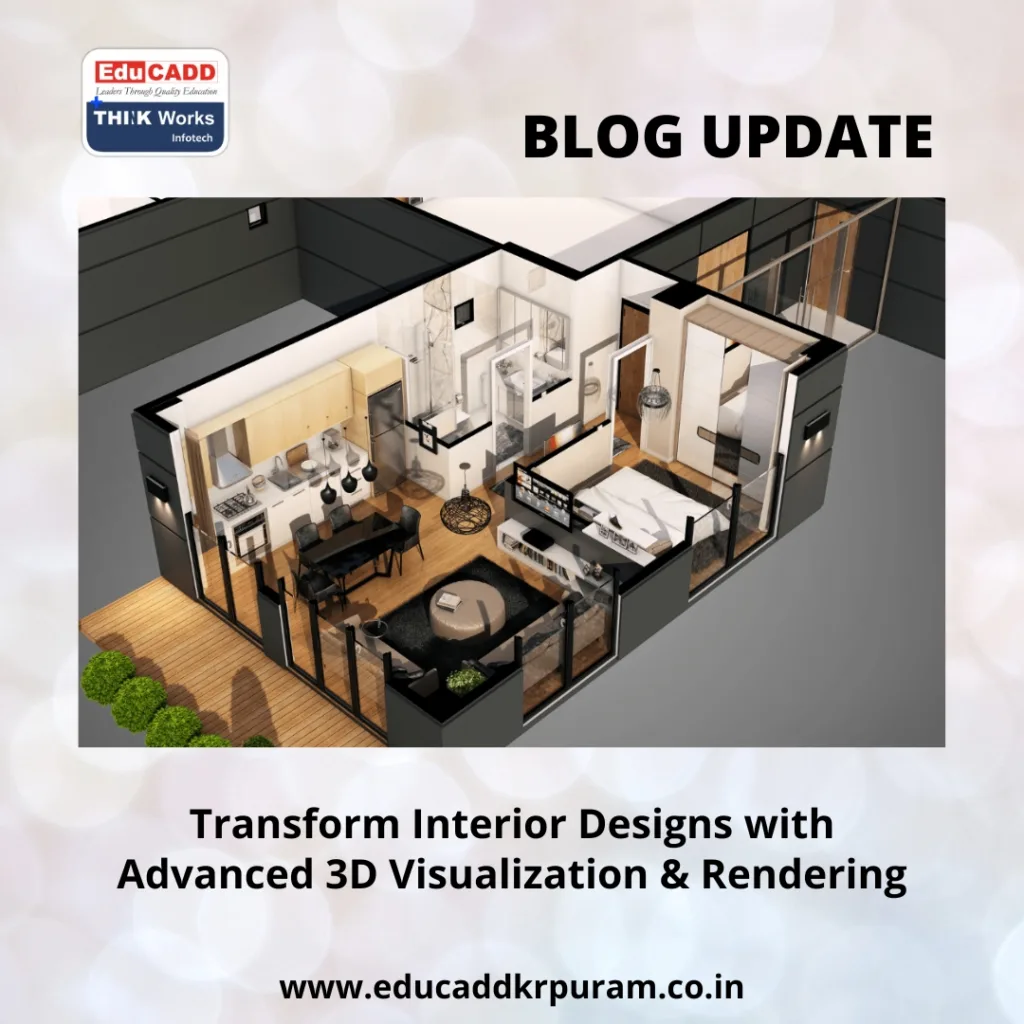
3D Interior Visualization
The Role of 3D Visualization in Interior Projects
3D Interior Visualization is the process of converting interior design concepts into digital models, while rendering creates photorealistic images of these models. This approach allows designers to:
-
Illustrate spatial arrangements and layouts effectively.
-
Test color palettes, textures, and materials before implementation.
-
Present clients with realistic previews that enhance decision-making.
By mastering this process, designers can reduce errors, save resources, and streamline communication with clients. Transitioning from sketches to 3D visualization elevates the professional quality of any interior project.
Key Software Tools for Interior 3D Rendering
To effectively learn 3D visualization & rendering for interior projects, proficiency in certain software is essential. Some widely used tools include:
-
Autodesk 3ds Max – Provides advanced modeling and V-Ray integration for high-quality interior renders.
-
SketchUp – Beginner-friendly and excellent for creating precise models quickly.
-
Blender – Free and versatile, offering both modeling and realistic rendering capabilities.
-
V-Ray – A rendering engine compatible with multiple platforms, delivering photorealistic results.
-
Lumion – Focuses on real-time visualization and immersive walkthroughs for clients.
Regular practice and experimenting with these tools can significantly improve your workflow and render quality, enhancing your ability to communicate designs effectively.
Techniques to Achieve Realistic Interior Renders
Creating compelling interior visualizations requires more than software knowledge. Designers must pay attention to details such as lighting, textures, and perspective. Effective techniques include:
-
Precise Lighting Design – Utilize natural and artificial light to generate realistic shadows and reflections.
-
Detailed Material Application – Apply high-quality textures that mimic real-world surfaces.
-
Strategic Camera Angles – Capture spaces from angles that highlight design features.
-
Post-Processing Enhancements – Use tools like Photoshop to adjust contrast, saturation, and sharpness for photorealistic output.
By following these techniques, designers can ensure their visuals communicate the true essence of a space.
Step-by-Step Workflow for Interior Visualization Projects
A well-structured workflow improves efficiency and output quality. Here’s an effective approach:
-
Conceptualization – Develop ideas through sketches, mood boards, or client consultations.
-
3D Modeling – Build precise digital models, ensuring correct scale and proportion.
-
Material & Texture Mapping – Assign textures to surfaces, enhancing realism.
-
Lighting Setup – Test different lighting scenarios to optimize mood and ambiance.
-
Rendering – Generate high-quality images for evaluation.
-
Client Review & Feedback – Present renders and incorporate client suggestions.
Following this workflow ensures every interior project meets both aesthetic and functional expectations.
Benefits of Learning 3D Visualization & Rendering
Learning these skills offers numerous advantages to interior designers:
-
Enhanced Accuracy – Reduces construction errors by visualizing designs beforehand.
-
Better Client Communication – Makes complex layouts easier for clients to understand.
-
Creative Flexibility – Allows experimentation with different materials, colors, and lighting.
-
Portfolio Growth – High-quality renders strengthen professional portfolios.
-
Competitive Edge – Designers with strong visualization skills attract more projects.
Investing time in learning these techniques translates into tangible career and project benefits.
Learning Resources and Expert Tips
To learn 3D visualization & rendering for interior projects efficiently, consider these resources:
-
Online Courses – Platforms like Udemy, Coursera, and EduCADD offer structured learning paths.
-
Practice Projects – Start small and gradually tackle complex commercial interiors.
-
Community Engagement – Join forums or social groups to gain insights and receive feedback.
-
Tutorials & Webinars – Stay updated with new tools, techniques, and workflows.
-
Continuous Practice – Daily hands-on work improves proficiency faster than theoretical learning.
Adopting these strategies ensures continuous improvement and mastery over time.
Emerging Trends in Interior Visualization
The field of interior design is constantly evolving. Notable trends include:
-
Real-Time Rendering – Tools like Unreal Engine enable immediate visual feedback.
-
Virtual Reality (VR) Integration – Clients can explore designs immersively.
-
AI-Driven Design Assistance – AI helps optimize textures, lighting, and layout suggestions.
-
Sustainable Material Simulations – Digital prototyping evaluates the environmental impact of materials.
Staying informed on these trends ensures designers remain competitive and relevant.
Conclusion
In the modern interior design landscape, the ability to 3D Interior Visualization is invaluable. It empowers designers to produce realistic, client-ready visuals that save time, reduce costs, and improve communication. By mastering software, applying realistic techniques, and maintaining an organized workflow, designers can elevate the quality of every project.
Investing in these skills today positions professionals for long-term success in the evolving interior design industry.

