
Precision Electrical Panel Layouts with AutoCAD Electrical
Designing electrical panels is a critical task in modern industries, as it directly influences system reliability, safety, and efficiency. A poorly planned panel can lead to wiring errors, maintenance challenges, and operational risks. Fortunately, Precision Panel Layout Design has revolutionized this process by providing engineers and designers with a powerful, specialized platform for creating precise, professional layouts.
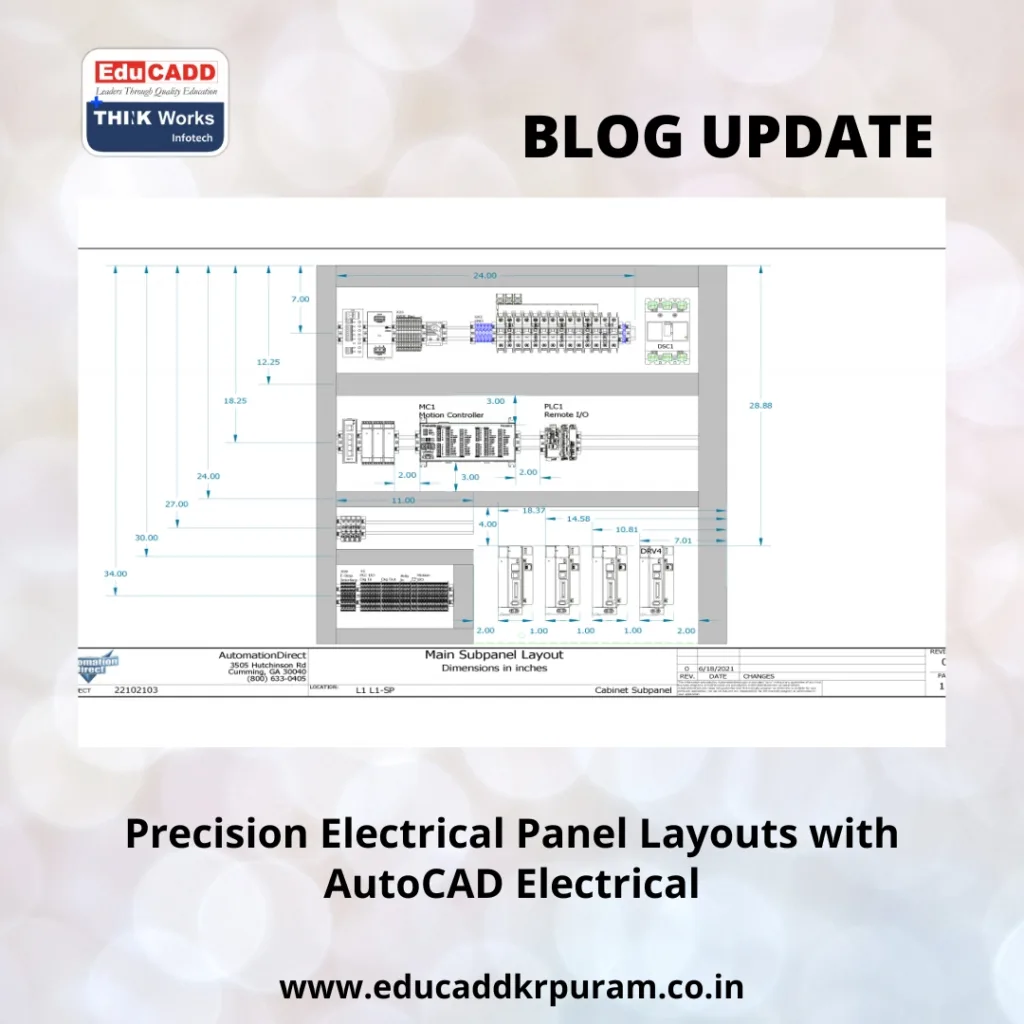
Precision Panel Layout Design
This software not only simplifies drafting but also automates repetitive tasks, minimizes errors, and ensures compliance with international standards. In this blog, we explore how Precision Panel Layout Design enhances accuracy, speeds up project timelines, and delivers reliable electrical systems for diverse industrial applications.
1. The Role of Panel Layouts in Industrial Applications
Electrical panels serve as the heart of many industrial and commercial systems. They house critical components such as circuit breakers, relays, contactors, PLCs, and meters. A properly designed panel ensures:
-
Optimized space utilization within enclosures
-
Easy accessibility for troubleshooting and maintenance
-
Compliance with safety and regulatory standards
-
Proper airflow and heat management
-
Reduced risk of electrical faults
Industries including manufacturing, automation, energy, and construction rely on well-planned panel layouts to maintain operational efficiency. By mastering panel layout design using AutoCAD Electrical, engineers can significantly improve system reliability and reduce downtime.
2. Key AutoCAD Electrical Features for Panel Design
AutoCAD Electrical is tailored specifically for electrical projects, offering features that streamline layout design:
a) Comprehensive Symbol Libraries
The software includes a vast range of electrical symbols, from switches and relays to sensors and meters. These symbols are customizable and conform to standards such as IEC, IEEE, and JIC.
b) Automated Error Detection
AutoCAD Electrical continuously checks for common issues like duplicate wire numbers, missing references, or incorrect component placement.
c) Efficient Wire Numbering and Tagging
Wires and components are automatically numbered and tagged, ensuring consistency and reducing manual work.
d) Interactive Panel Layout Environment
The panel layout module allows designers to position components directly on the panel drawing, maintaining a link with the schematic for automatic updates.
e) Easy Report Generation
Generate detailed reports, including Bill of Materials (BOM), terminal lists, and wiring schedules, which simplifies procurement and installation.
With these capabilities, engineers can complete panel layout design using AutoCAD Electrical efficiently, while maintaining precision and professional standards.
3. Step-by-Step Panel Layout Workflow
Creating a panel layout in AutoCAD Electrical follows a systematic approach:
Step 1: Project Initialization
Start by defining project settings such as drawing templates, title blocks, and electrical standards. This ensures uniformity across all project files.
Step 2: Schematic Development
Design the electrical schematics by placing components like relays, switches, and PLCs. Assign unique tags to each component for tracking and connectivity.
Step 3: Linking Schematic to Panel Layout
Once the schematic is finalized, transfer components to the panel layout environment. Maintaining links ensures that any schematic updates reflect in the panel design automatically.
Step 4: Component Arrangement
Place components within the panel enclosure based on accessibility, space efficiency, and airflow considerations. AutoCAD Electrical allows precise alignment and placement of components.
Step 5: Wire Routing and Numbering
Route wires between components, and let the software automatically number them. This step reduces errors and ensures clarity in wiring connections.
Step 6: Error Validation
Run error-checking tools to identify missing connections, duplicates, or inconsistencies before finalizing the layout.
Step 7: Documentation and Reporting
Generate BOMs, terminal diagrams, and wire lists to guide fabrication, procurement, and installation processes.
Following these steps ensures a smooth, error-free panel layout design using AutoCAD Electrical, saving time and reducing production risks.
4. Advantages of Using AutoCAD Electrical
Employing AutoCAD Electrical for panel layouts provides multiple benefits:
-
Time Savings: Automation reduces design time significantly.
-
Accuracy: Real-time error detection minimizes costly mistakes.
-
Professional Documentation: Standardized reports and drawings simplify compliance and communication.
-
Flexibility: Updates in schematics automatically reflect in panel layouts.
-
Collaboration: Multiple designers can work on the same project efficiently.
By leveraging these advantages, professionals can produce high-quality, standardized panel layouts that meet industrial requirements.
5. Industry Applications and Career Opportunities
Expertise in panel layout design using AutoCAD Electrical opens doors to multiple industrial sectors:
-
Manufacturing and automation systems
-
Power distribution and control systems
-
Renewable energy installations
-
Industrial machinery and building services
Prominent career paths include:
-
Electrical Design Engineer
-
Control Panel Designer
-
Automation Specialist
-
PLC Programmer
-
Electrical Project Consultant
Organizations highly value professionals who can deliver accurate and safe panel layouts, making this skill a valuable asset in today’s competitive engineering market.
Conclusion
Efficient and accurate panel layouts are vital for reliable electrical systems in modern industries. Precision Panel Layout Design offers a streamlined, professional approach that reduces errors, enhances productivity, and ensures compliance with standards.
For engineers and designers, mastering this software is a gateway to improved career prospects and industrial recognition. By leveraging its features, one can create panels that are safe, functional, and ready for real-world application, meeting the growing demands of today’s industrial environments.

