
Precision Collaboration in Construction Using Autodesk Navisworks for Clash Detection & BIM Review
Construction projects are increasingly complex, involving multiple disciplines, tight schedules, and intricate designs. Small errors or misalignments can lead to costly delays, rework, and wasted resources. Navisworks Clash Detection offers a solution to these challenges, enabling teams to visualize projects in 3D, detect clashes early, and review Building Information Models (BIM) comprehensively.
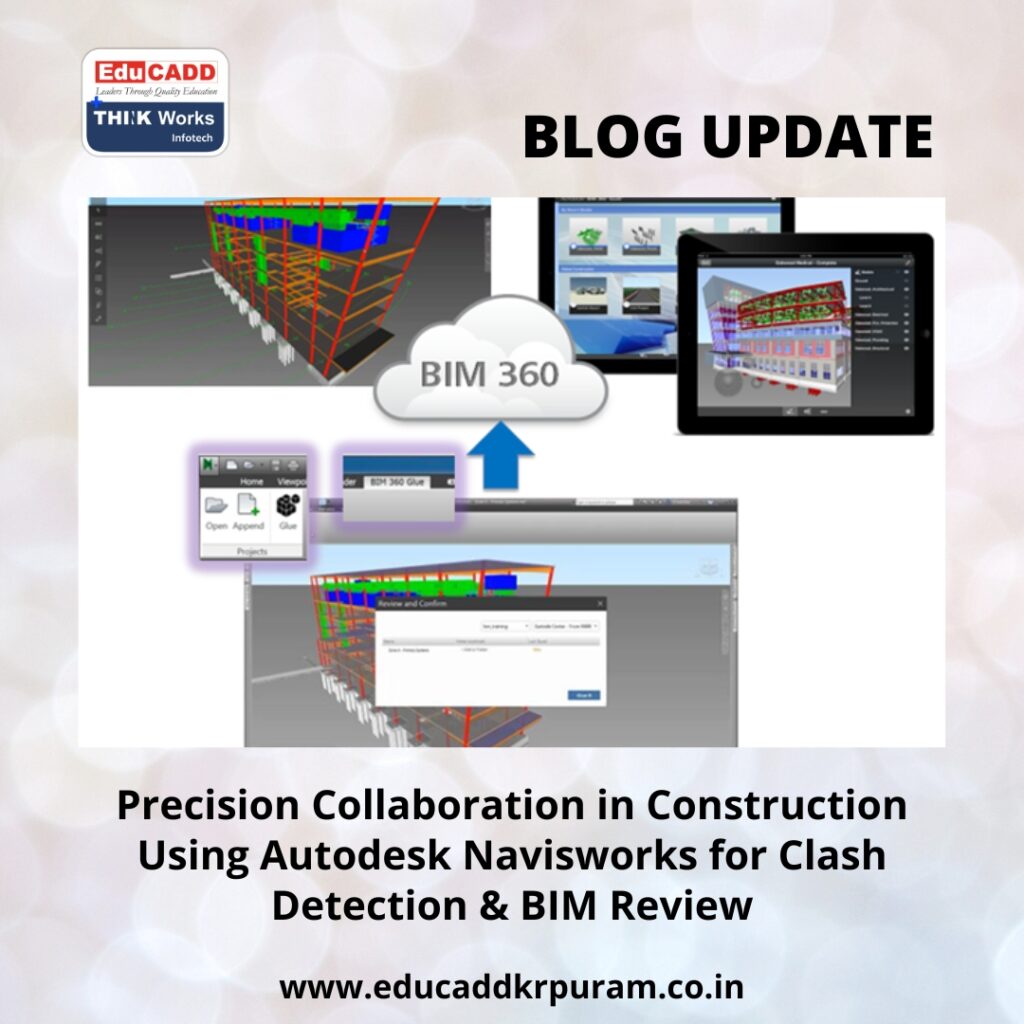
Navisworks Clash Detection
Learning Navisworks Clash Detection for clash detection and BIM review equips professionals with the skills to streamline workflows, improve coordination, and deliver projects efficiently. This blog explains why Navisworks is essential, explores its key features, and provides strategies for mastering the software.
The Role of Autodesk Navisworks in Modern Construction
Navisworks is designed to integrate models from various disciplines into a single platform. It provides a complete view of the project, making coordination seamless and reducing errors that arise from fragmented design data.
With Navisworks, teams can:
-
Identify conflicts between architectural, structural, and MEP systems.
-
Coordinate effectively across disciplines.
-
Visualize the entire project in a realistic 3D environment.
For professionals, learning Navisworks opens doors to career growth. Companies value engineers, architects, and project managers who can manage BIM workflows, perform clash detection, and ensure projects progress without costly interruptions.
Enhancing Accuracy with Clash Detection
Clash detection is one of the most vital features of Autodesk Navisworks. A clash occurs when two components occupy the same space in a model, such as an HVAC duct running through a beam. Detecting these issues before construction prevents delays and reduces costs significantly.
Navisworks simplifies clash detection with automated tools. Users can:
-
Run clash tests across multiple models.
-
Set specific rules for different clash types.
-
Generate detailed, actionable reports for project teams.
By learning Navisworks for clash detection, professionals gain the ability to anticipate conflicts, resolve them proactively, and ensure smooth project execution.
BIM Review for Better Project Oversight
BIM review in Navisworks goes beyond clash detection, offering comprehensive oversight of the project model. It allows stakeholders to navigate models, simulate construction sequences, and analyze material quantities. Key features include:
-
3D model navigation for immersive exploration.
-
4D scheduling to visualize construction timelines.
-
Quantification tools for cost and material assessment.
-
Issue marking and tracking to streamline communication.
BIM reviews improve transparency, reduce misunderstandings, and allow informed decision-making. Learning Autodesk Navisworks equips professionals to lead BIM reviews confidently, fostering collaboration and accountability across teams.
Steps to Master Autodesk Navisworks
Becoming proficient in Navisworks requires a systematic approach. Here are actionable steps:
1. Learn Core BIM Concepts
A strong foundation in BIM is essential. Understand how models are created, managed, and shared to use Navisworks effectively.
2. Explore the Software Interface
Familiarize yourself with navigation tools, view settings, and model manipulation options. Comfortable navigation is key to efficient use.
3. Practice Clash Detection
Start with small projects, run clash tests, and generate reports. Gradually move to complex projects to build confidence.
4. Conduct BIM Reviews
Simulate real project scenarios. Invite stakeholders to review models, identify issues, and coordinate solutions collaboratively.
5. Enroll in Professional Training
Structured courses provide guided learning, advanced workflows, and real-world project exercises. Professional training accelerates skill development.
6. Stay Updated
Navisworks continues to evolve. Keep up with updates, forums, and industry trends to maintain expertise and remain competitive.
Career Advantages of Learning Navisworks
Mastering Autodesk Navisworks offers tangible career benefits. The software is widely adopted in architecture, engineering, and construction sectors. Professionals skilled in Navisworks enjoy:
-
Increased job opportunities in BIM coordination, project management, and design review.
-
Opportunities to work on large-scale and complex projects.
-
Enhanced ability to manage interdisciplinary teams and project workflows.
-
Higher earning potential and professional recognition.
By learning Navisworks for clash detection and BIM review, professionals position themselves as valuable assets in the competitive construction industry.
Conclusion
Construction projects are moving toward fully digital workflows, requiring precise coordination and proactive problem-solving. Autodesk Navisworks enables clash detection and BIM review, helping professionals deliver projects efficiently, accurately, and collaboratively.
Learning Navisworks Clash Detection equips you with skills that improve project outcomes and enhance career growth. For construction professionals seeking to elevate their expertise and impact, Navisworks is an essential tool for the modern construction landscape.

