
Creative Vision Unlocked: A Complete Guide to Crafting Mood Boards & Concept Boards Like a Professional
Every successful creative project begins with clarity. Whether you’re planning a marketing campaign, designing a product, shaping a brand identity, styling an interior, or building a digital experience, the first step is understanding the visual direction. That direction becomes stronger, clearer, and more actionable when you learn Professional Mood Concept Boards. These tools transform raw ideas into structured visuals that guide your project from imagination to execution.
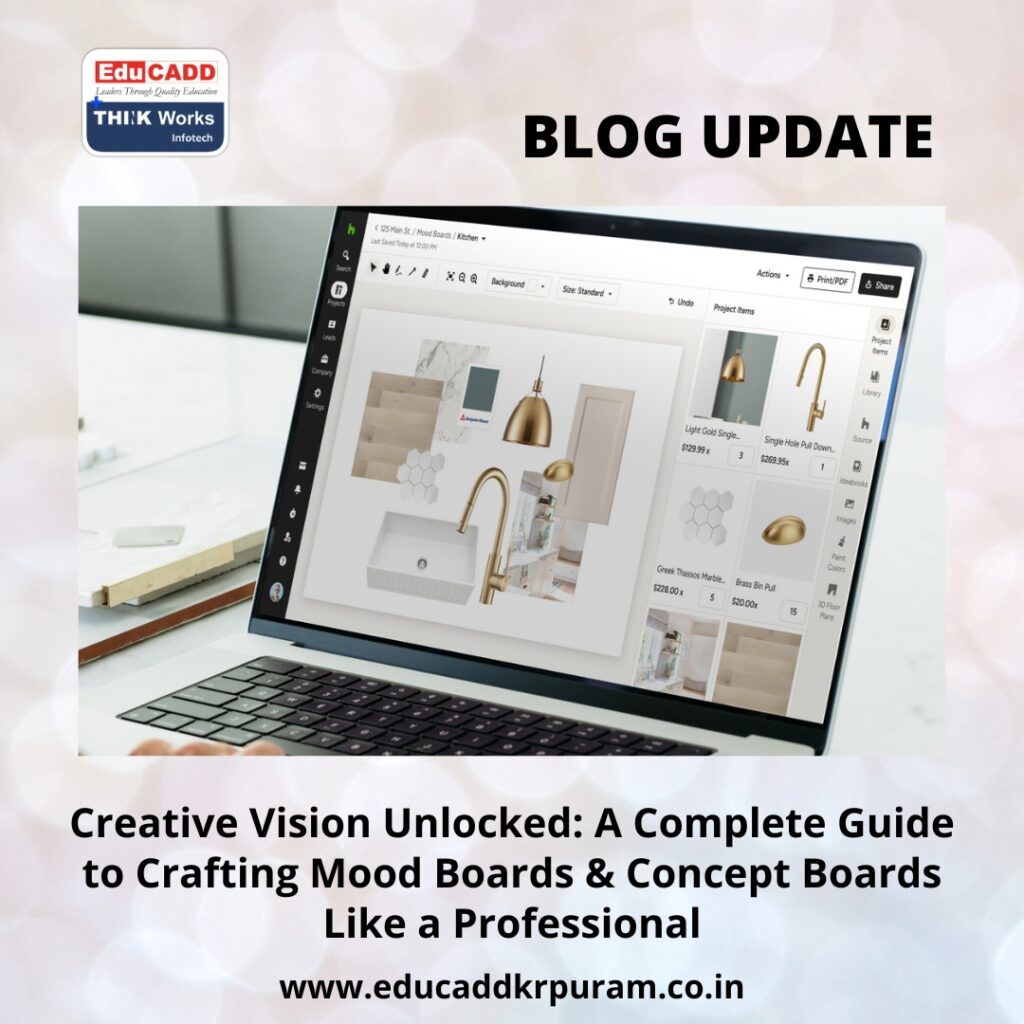
Professional Mood Concept Boards
Mood boards help you explore emotion, energy, style, and ambiance, while concept boards refine these ideas into a clear, intentional vision. Designers, marketers, creators, and strategists rely on both tools to align ideas, eliminate confusion, and communicate direction with impact. This guide walks you through everything—from understanding their purpose to building each board with skill and structure.
By the end of this complete guide, you’ll not only understand Professional Mood Concept Boards, but you’ll also be able to create them with confidence and present them with a professional flair.
1. What Mood Boards & Concept Boards Really Do in the Creative Process
Before building anything, it’s important to understand how these boards function and why they have such a powerful influence on creative outcomes.
The Purpose of a Mood Board
A mood board is a collection of visuals that express the emotional foundation of a project. It sets the tone before any detailed planning begins. This board often includes colors, textures, imagery, words, typography inspiration, patterns, and even material references. Think of it as the emotional “first draft” of your idea.
Mood boards help you:
-
Discover the right atmosphere for your concept
-
Communicate visual tone before finalizing details
-
Explore multiple styles without committing immediately
-
Build a shared understanding with clients or teams
They are flexible, expressive, and open to exploration.
The Purpose of a Concept Board
Once the mood board establishes direction, a concept board refines that direction into a focused idea. A concept board is structured, polished, and intentional. It combines visuals with explanation so viewers can understand the strategic thought behind the design.
Concept boards help you:
-
Present a specific vision with clarity
-
Show how inspiration becomes strategy
-
Highlight colors, design elements, and typography
-
Align teams around a final creative direction
Understanding how these tools complement each other is key to learning Professional Mood Concept Boards effectively.
Why You Need Both
Mood boards answer the question “What should this project feel like?”
Concept boards answer the question “How will the final concept look and behave?”
Together, they form a powerful creative foundation that guides every stage of design and communication.
2. How to Create an Impressive Mood Board Step-by-Step
Creating a mood board is a thoughtful process that blends inspiration with intention. Here’s how to create one that communicates emotion, clarity, and purpose.
1. Start with a Clear Project Vision
Before collecting visuals, define the goal of your project. A focused vision ensures that your board reflects the correct emotional direction. Whether you’re designing a website, creating a brand identity, planning an ad campaign, or styling a room, your project goal guides every choice that follows.
2. Collect Visuals and Inspiration
This is the exploration stage. Here, you gather everything that resonates with your idea. Inspiration can come from many sources:
-
Pinterest
-
Behance
-
Magazines
-
Color palettes
-
Photography
-
Nature textures
-
Online design galleries
-
Trend reports
Collect widely and freely. The purpose is to explore possibilities, not restrict them.
3. Look for Emotional Themes and Patterns
After you collect enough references, start analyzing them. Do they feel minimal, bold, natural, energetic, dark, soft, or futuristic? These emotional cues help you identify the underlying theme of your project.
A great mood board feels cohesive because the creator identifies and highlights patterns.
4. Choose a Core Mood or Tone
Decide on one clear direction. It could be:
-
Calm and organic
-
Sleek and contemporary
-
Bold and youthful
-
Elegant and luxurious
-
Playful and colorful
This becomes the backbone of your mood board. Every image you select afterward must reinforce this tone.
5. Arrange Your Visuals in a Balanced Layout
A strong mood board doesn’t feel chaotic. It feels intentional. When arranging your visuals:
-
Keep spacing consistent
-
Group similar elements
-
Avoid clutter
-
Use a clean background
-
Let visuals breathe
Professional boards often follow a grid layout because it keeps everything aligned and visually appealing.
6. Add Keywords for Clarity
Words help reinforce meaning. Add short keywords such as:
-
“Warm”
-
“Minimal”
-
“Refined”
-
“Energetic”
-
“Vintage-inspired”
These descriptors help viewers understand your emotional direction more clearly.
7. Edit and Refine Your Selection
Remove anything that doesn’t fit. A mood board becomes powerful when it shows only the strongest elements. Refinement makes your board more professional, more cohesive, and easier to understand.
This entire process is essential to mastering how to create mood boards & concept boards, because mood boards lay the emotional groundwork for everything that follows.
3. How to Turn Inspiration into Strategy with a Concept Board
Once your mood board finalizes the emotional direction, it’s time to translate that inspiration into a specific creative concept. This is where the concept board comes in.
1. Write a Strong Concept Statement
Your concept board begins with a short statement that describes the core idea. It should communicate both mood and strategy. Examples include:
-
“A serene brand identity built on natural tones and organic shapes.”
-
“A bold digital experience guided by geometric patterns and high contrast.”
-
“A modern interior design concept inspired by industrial textures and warm lighting.”
This statement becomes the heart of your board.
2. Select Only the Most Relevant Visual Elements
Unlike mood boards, concept boards use fewer images. Every element must have a purpose. Include visuals such as:
-
Final color palette
-
Material references
-
Typography selection
-
Shape and layout inspirations
-
Functional or stylistic elements
-
Icon styles
-
Product forms or mockups
Each visual must reinforce the concept clearly.
3. Establish a Defined Color Palette
Your concept board needs a color story that expresses your theme. Choose colors based on:
-
Emotional tone
-
Target audience
-
Intended message
-
Brand personality
A defined palette strengthens the consistency of the project.
4. Select Purposeful Typography
Typography sets the personality of your design. Whether you choose bold san serif fonts, elegant serif styles, or playful handwritten types, your typography should align with your concept.
5. Add Short Explanations to Support Your Choices
Concept boards often use brief descriptions to clarify why each visual element matters. These notes highlight your strategic thinking and help viewers understand the logic behind the design.
6. Present the Board with a Logical Layout
A concept board must be clean, structured, and easy to navigate. A strong structure typically includes:
-
Concept statement at the top
-
Key visuals in the center
-
Supporting elements on the sides
-
Color palette and typography at the bottom
Your board should flow from idea to execution smoothly.
Learning how to create mood boards & concept boards is essentially learning how to express ideas visually and strategically at the same time.
4. Tools, Formats & Techniques That Make Your Boards Stand Out
The right tools and methods can elevate your boards from simple collections to polished presentations that make an impact.
Best Tools for Creating Mood & Concept Boards
-
Canva for beginners and templates
-
Milanote for inspiration collecting
-
Figma for digital and UI projects
-
Adobe Photoshop for detailed layout design
-
Adobe Illustrator & InDesign for professional presentations
Each tool offers unique strengths depending on the type of project.
Choosing the Right Format
Your format must match your purpose:
-
Digital boards for presentations, remote collaboration, or online sharing
-
Printable boards for meetings, interior design, and physical displays
-
Vertical formats for storytelling presentations
-
Horizontal layouts for balanced visual distribution
The right format improves clarity and visual flow.
Use High-Quality Images and Consistent Styles
Consistency is key. Use visuals with similar tones, lighting, and resolution. A cohesive board looks more polished and professional.
Achieve Balance Through Composition
Good spacing, alignment, and grouping make your board easier to read. A balanced layout feels thoughtful, intentional, and visually appealing.
Tell a Story Through Visual Flow
Your board should feel like a narrative. Each element should connect logically to the next. When your board tells a story, your concept feels stronger and more believable.
Mastering these techniques elevates everything you know about how to create mood boards & concept boards.
5. Real-World Applications: Where Mood & Concept Boards Make an Impact
These boards are used across countless industries because they help streamline creative communication and ensure consistency.
Branding & Visual Identity
Mood boards define the emotional personality of the brand. Concept boards finalize the direction for logos, colors, typography, and design systems.
Marketing & Advertising
Boards align messaging, visuals, and campaign styles. They help teams maintain consistency across social media, print ads, video content, and brand communication.
Product Design
Mood boards inspire form, color, and material choices. Concept boards guide prototypes and final product aesthetics.
Interior Design
Mood boards capture ambiance. Concept boards translate that ambiance into specific design elements—materials, lighting, furniture, and finishes.
Fashion & Styling
Seasonal themes, color stories, runway concepts, and garment aesthetics all begin with boards.
Web Design & UI/UX
Mood boards define interface emotions. Concept boards refine layout direction, grid style, iconography, and color interactions.
Social Media & Content Creation
Boards help creators maintain a cohesive visual identity across platforms.
Professionals who understand how to create mood boards & concept boards deliver clearer communication, smoother workflows, and stronger creative outcomes.
Conclusion
Mood boards and concept boards are more than creative tools—they are visual strategies that guide the entire design journey. Mood boards help you explore emotional direction, while concept boards transform that direction into a clear and actionable idea. When you master Professional Mood Concept Boards, you gain the ability to express your vision visually, strategically, and professionally.
These tools help you think clearly, communicate better, and deliver results that align with both creativity and strategy. Whether you work in branding, interiors, digital design, content creation, marketing, or product design, mood boards and concept boards give your ideas structure and impact.

