
Revit Structures in Action – Transforming BIM from Concept to Reality
The design and construction industry has never been more connected, fast-paced, and data-driven. At the center of this transformation stands Building Information Modeling (BIM), and one of its most impactful tools is Revit Structures BIM Workflow.
This platform doesn’t just create 3D models—it builds a shared environment where engineers, architects, and contractors collaborate in real time. Revit Structures explained in detail shows how it integrates modeling, analysis, and documentation in a way traditional CAD systems never could.
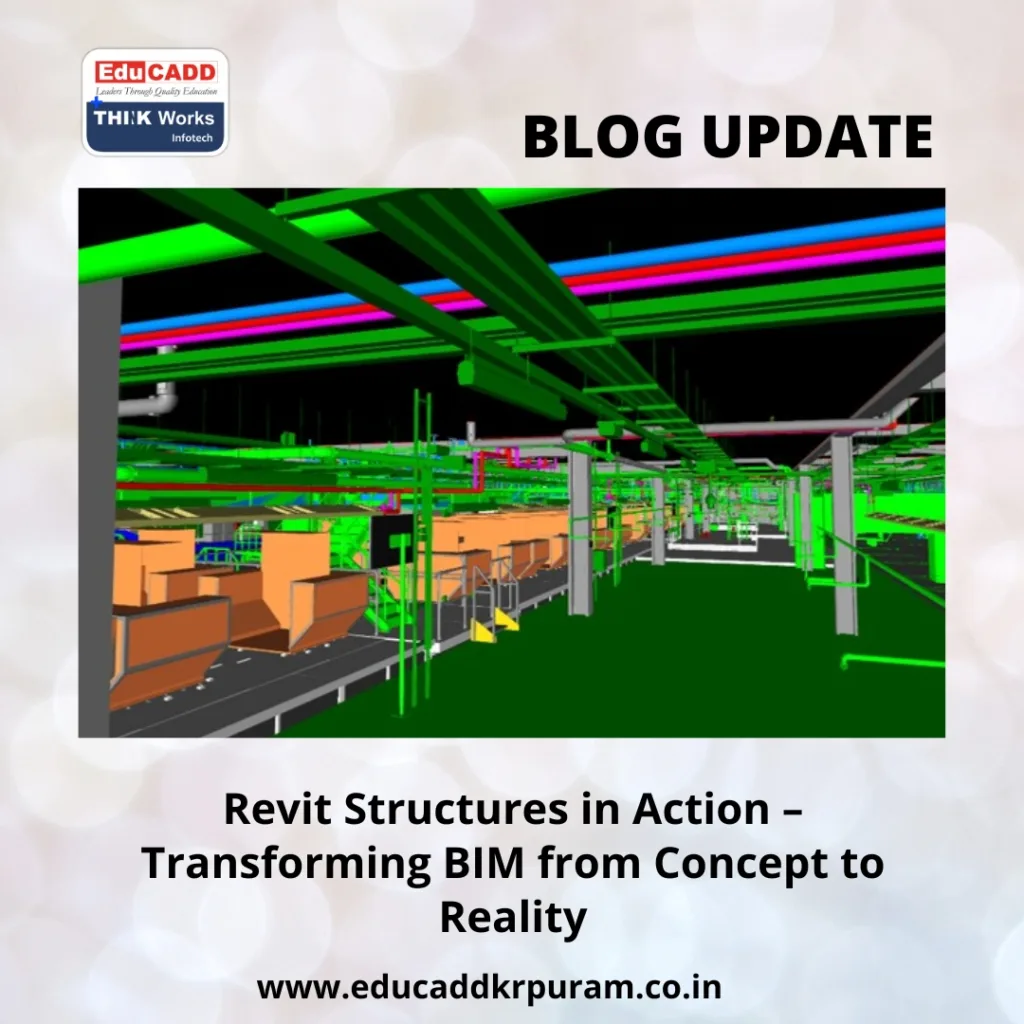
Revit Structures BIM Workflow
From reducing errors to speeding up workflows, its influence on modern construction is undeniable. In this article, we’ll explore how Revit Structures brings BIM to life, why it’s a favorite among professionals, and where it’s headed next.
1. What Makes Revit Structures Different
Revit Structures is not just another drafting tool—it’s an intelligent modeling platform built for structural engineering within the BIM framework. Every element in the model, from steel beams to concrete slabs, carries embedded data.
Why that matters:
When you change one component, the system automatically updates every related view, schedule, and detail. This interconnected approach removes the tedious manual coordination that often leads to mistakes in traditional workflows.
Core distinctions include:
-
Parametric design: All components adjust automatically to changes.
-
Data-rich modeling: Each element holds real-world material and dimension data.
-
Multi-discipline coordination: Architects, MEP engineers, and structural teams work on the same model.
-
Live updates: Any edit reflects instantly across all project documentation.
This combination creates a design process that is faster, more accurate, and far less prone to miscommunication.
2. Key Features that Drive Structural Excellence
When exploring Revit Structures explained for everyday engineering tasks, its feature set speaks volumes about its capability to handle complexity with ease.
a. Advanced Structural Components
Whether you’re designing steel frames, precast panels, or reinforced concrete, Revit provides intelligent templates for precise placement and editing.
b. Reinforcement and Detailing Tools
The platform simplifies rebar modeling and allows for visualizing reinforcement layouts in 3D. This helps detect spacing issues before construction.
c. Automated Documentation
Schedules and material take-offs are generated directly from the model. This ensures that any design modification instantly reflects in all project documents.
d. Clash Detection
Identifying and resolving design conflicts between structural and MEP systems before reaching the construction site avoids costly rework.
e. Analysis Integration
You can link Revit to structural analysis software for seamless testing of loads, stress, and overall performance.
With these tools, structural engineers can focus on solving design challenges rather than wrestling with disconnected files and redundant updates.
3. How BIM and Revit Structures Work Together
BIM is all about collaboration, accuracy, and data-driven decision-making. Revit Structures embodies these principles by acting as the structural engineering arm of BIM.
Here’s how they integrate:
-
Shared Models: All disciplines use the same central file, eliminating version confusion.
-
Information Flow: Data embedded in the model supports everything from design approvals to construction scheduling.
-
Lifecycle Management: The same Revit model can be used from concept through facility management.
-
Visualization: 3D views help non-technical stakeholders understand structural designs better.
By combining modeling and documentation into one intelligent environment, Revit Structures transforms BIM from theory into a working reality on every project.
4. Real-World Uses of Revit Structures
The versatility of Revit Structures makes it applicable across a wide range of projects.
a. Commercial Buildings
Skyscrapers, office complexes, and retail spaces benefit from accurate load calculations, steel detailing, and coordination with architectural designs.
b. Public Infrastructure
Bridges, train stations, and stadiums require complex geometry and large-scale coordination, which Revit handles with precision.
c. Industrial Plants
Factories with heavy machinery demand specialized structural supports. Revit allows engineers to customize components for these conditions.
d. Renovations
For existing structures, engineers can create as-built models and plan retrofits with confidence, avoiding costly surprises during construction.
These applications prove that Revit Structures is more than a design tool—it’s a strategic asset for delivering reliable, high-quality results.
5. The Road Ahead for Revit Structures and BIM
The role of Revit Structures in the future of construction is set to expand as technology evolves.
a. Cloud-Based Collaboration
With platforms like Autodesk BIM Collaborate, remote teams can access and edit the latest model version in real time from anywhere.
b. AI-Powered Design
Artificial intelligence will soon assist in optimizing structural layouts, suggesting more efficient material usage, and predicting performance issues.
c. Integration with IoT
Live data from sensors embedded in buildings could feed directly into the BIM model, supporting predictive maintenance.
d. Virtual and Augmented Reality
Engineers and contractors will increasingly use AR and VR to visualize structures on-site before assembly begins.
These advancements will make Revit Structures an even more indispensable part of the construction ecosystem.
Conclusion: From Concept to Construction with Revit Structures
When we see Revit Structures BIM Workflow explained in the context, it becomes clear why it’s revolutionizing modern structural engineering. It combines intelligent modeling, automatic documentation, and real-time collaboration into a single environment.
Whether you are working on a high-rise, an industrial plant, or an infrastructure project, the benefits are tangible: faster workflows, fewer errors, and better communication.
As the industry embraces more digital innovation, mastering Revit Structures will not just be an advantage—it will be essential for staying competitive in the construction world.

