
From Elevation Data to Design Excellence: Unlocking the Power of Contour Mapping in AutoCAD Civil 3D
In today’s fast-paced construction and infrastructure industry, understanding land topography is critical for successful project planning and execution. Contour Mapping Civil 3D has become an indispensable process for engineers, surveyors, architects, and land developers who need precise terrain information before beginning any design work. Contour maps provide a detailed representation of the earth’s surface by connecting points of equal elevation, allowing professionals to visualize slopes, valleys, ridges, and drainage patterns with remarkable accuracy. AutoCAD Civil 3D simplifies this complex process by converting raw survey data into intelligent surface models and highly detailed contour maps.
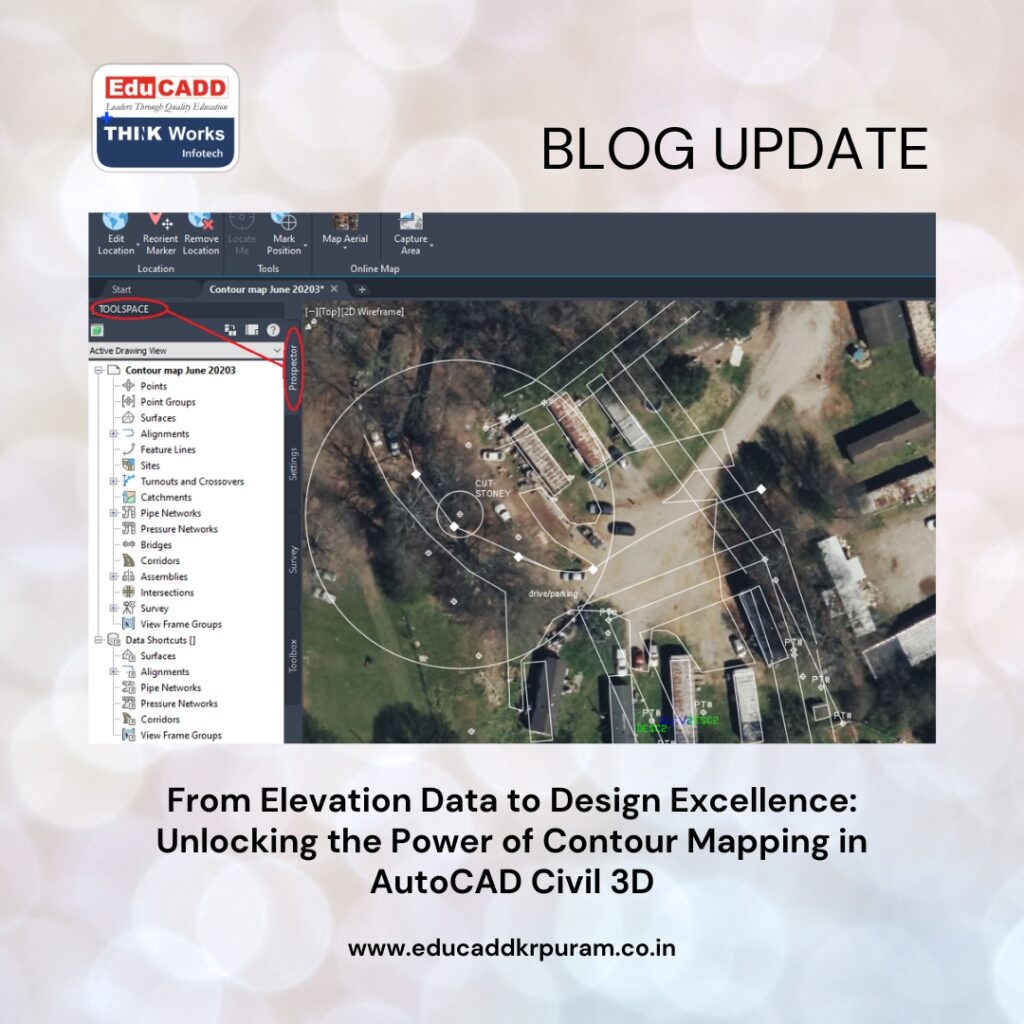
Contour Mapping Civil 3D
As projects become larger and more technically demanding, the need for accurate terrain visualization continues to grow. Organizations that use advanced contour mapping techniques gain better control over design decisions, reduce construction risks, and improve overall project efficiency. Understanding how Civil 3D supports contour mapping can help professionals maximize productivity while ensuring reliable results throughout the entire project lifecycle.
Understanding the Role of Contour Maps in Land Development
Contour Mapping Civil 3D serve as one of the most important tools in civil engineering and site planning. They provide a graphical representation of terrain elevations through lines that connect points sharing the same height above a reference datum. These lines reveal the shape of the land and help professionals understand how the terrain changes across a project site. Close contour spacing typically indicates steep slopes, while wider spacing reflects flatter areas. This information becomes essential when designing roads, drainage systems, retaining structures, and building foundations.
Without accurate contour maps, engineers may encounter unforeseen challenges during construction that can increase costs and delay project completion. Therefore, contour mapping remains a critical component of successful land development and infrastructure planning.
How AutoCAD Civil 3D Revolutionizes Terrain Modeling
Traditional methods of contour mapping often required extensive calculations, manual drafting, and repetitive revisions. Contour Mapping Civil 3D transforms these processes through intelligent modeling capabilities that automate many complex tasks. The software enables users to create dynamic terrain surfaces from survey data, allowing contour lines to update automatically whenever changes occur. This intelligent functionality eliminates the need for repeated manual adjustments and significantly improves workflow efficiency. Civil 3D also supports a variety of data formats and integrates seamlessly with modern surveying technologies.
As a result, professionals can manage large amounts of elevation data while maintaining exceptional accuracy throughout the design process. This combination of automation and precision makes Civil 3D a preferred solution for terrain modeling projects around the world.
Collecting High-Quality Survey Data for Accurate Contours
Every contour map is only as accurate as the data used to create it. Survey data collection forms the foundation of successful contour mapping and directly influences the reliability of the final output. Surveyors use advanced equipment such as GPS receivers, total stations, drones, and LiDAR systems to gather elevation information from project sites. Once collected, the data must be reviewed carefully to identify errors, duplicates, or missing points that could affect surface accuracy.
Proper field procedures and thorough quality checks help ensure that the imported data accurately represents real-world conditions. Investing time in data validation at the beginning of a project can prevent costly corrections later and contribute to more reliable terrain analysis.
Creating Intelligent Surface Models from Survey Information
After survey data has been imported into AutoCAD Civil 3D, the next step involves building a surface model that represents the site’s topography. Civil 3D commonly uses a Triangulated Irregular Network, or TIN surface, to create a digital representation of the terrain. The software connects survey points through a network of triangles, which collectively define the shape and elevation of the land.
This modeling approach allows complex landscapes to be represented accurately while maintaining efficient file management. Once the surface is created, it becomes an intelligent object that supports contour generation, grading design, earthwork calculations, and numerous other engineering functions. The quality of the surface model directly impacts every subsequent design activity.
Generating Detailed Contour Lines Automatically
One of the greatest advantages of Contour Mapping Civil 3D is its ability to generate contour lines automatically from a surface model. Instead of manually drawing elevation lines, users simply define contour intervals and allow the software to perform the calculations. Civil 3D analyzes the terrain surface and creates contour lines that accurately reflect elevation changes across the site.
Major contours can be displayed at larger intervals to emphasize significant elevation differences, while minor contours provide additional detail between elevations. This automated process not only saves considerable time but also improves consistency and reduces the likelihood of drafting errors. Dynamic contour generation ensures that maps remain current whenever surface data changes.
Enhancing Map Presentation Through Contour Customization
Effective contour maps must communicate information clearly to engineers, clients, contractors, and regulatory agencies. Civil 3D offers extensive customization options that allow users to improve map readability and align outputs with project standards. Users can adjust contour styles, colors, labels, and line weights to emphasize important terrain features and improve visual clarity.
Important customization capabilities include:
- Configuring major and minor contour intervals.
- Applying unique labels and annotation styles.
These enhancements help stakeholders interpret terrain conditions more easily and support better decision-making during project planning and review. A well-presented contour map can significantly improve communication among project participants and reduce misunderstandings.
The Importance of Breaklines in Terrain Accuracy
Many project sites contain abrupt terrain changes that cannot be represented accurately through survey points alone. Features such as road edges, retaining walls, drainage channels, and embankments require additional definition within the surface model. Breaklines provide this definition by guiding the triangulation process and preserving important terrain characteristics.
When incorporated into a Civil 3D surface, breaklines ensure that contour lines follow actual site conditions rather than smoothing over critical features. This added level of detail improves the realism and accuracy of the terrain model. For infrastructure projects that involve precise grading and drainage design, breaklines are essential for achieving dependable contour mapping results.
Using Surface Analysis to Gain Deeper Terrain Insights
Contour Mapping Civil 3D provide valuable visual information, but Civil 3D offers analytical tools that extend far beyond simple elevation representation. Surface analysis functions enable users to evaluate slope percentages, elevation ranges, aspect directions, watershed boundaries, and drainage flow patterns. These capabilities help engineers identify potential challenges before construction begins. For example, steep slopes may require stabilization measures, while drainage analysis can reveal areas prone to water accumulation.
By combining contour mapping with advanced surface analysis, project teams gain a more comprehensive understanding of site conditions and can develop more effective design solutions. This proactive approach improves project performance and reduces unforeseen complications.
Applications of Contour Mapping Across Engineering Disciplines
Contour mapping supports a diverse range of engineering and development activities. Its versatility makes it a valuable resource for professionals working in transportation, environmental management, construction, and urban planning. Accurate terrain information helps designers evaluate site feasibility, optimize layouts, and minimize environmental impacts.
Major applications include:
- Highway and railway corridor design.
- Residential and commercial land development.
Additional uses include mining operations, renewable energy projects, utility infrastructure planning, flood risk assessment, and landscape architecture. Regardless of the industry, contour maps provide critical information that supports informed decision-making and efficient project execution.
Managing Massive Terrain Datasets with Confidence
Modern surveying technologies generate enormous amounts of data that can challenge traditional design software. Drone photogrammetry and LiDAR scanning often produce millions of elevation points across large project areas. Civil 3D addresses this challenge through advanced data management tools that help users organize and process information efficiently. Features such as point groups, data references, and optimized surface handling enable teams to work with large datasets without compromising performance.
Efficient data management improves collaboration, reduces processing delays, and ensures that terrain models remain accurate throughout the project lifecycle. As data volumes continue to increase, these capabilities become increasingly valuable.
Integrating Emerging Survey Technologies into Civil 3D
The rise of drone technology and LiDAR scanning has transformed how terrain information is collected and processed. Drones allow surveyors to capture large areas quickly and safely, while LiDAR systems provide highly accurate elevation measurements even in complex environments. Civil 3D supports the direct integration of these datasets, enabling users to create detailed surface models with minimal manual intervention.
The combination of advanced surveying technology and intelligent modeling software accelerates project workflows and improves terrain accuracy. Furthermore, these innovations reduce field labor requirements and enhance safety by minimizing the need for surveyors to access hazardous locations.
Best Practices for Producing Professional Contour Maps
Creating high-quality contour maps requires more than simply importing survey data and generating contours. Successful professionals follow proven workflows that emphasize consistency, accuracy, and quality assurance. Survey data should always be validated before surface creation, and contour intervals should be selected based on project requirements and terrain complexity. Breaklines must be incorporated where necessary to preserve important features.
Additionally, map layouts should follow established drafting standards to ensure readability and professionalism. Regular reviews and validation checks help identify issues before they impact project deliverables. By adhering to these best practices, users can consistently produce contour maps that meet industry expectations and support successful project outcomes.
The Future of Contour Mapping in Digital Engineering
The future of Contour Mapping Civil 3D is closely tied to advancements in digital engineering and geospatial technology. Artificial intelligence, machine learning, cloud-based collaboration, and reality capture systems are already influencing how terrain data is collected, processed, and analyzed. Future developments may enable real-time surface updates, automated terrain classification, and predictive land analysis. Civil 3D continues to evolve alongside these innovations, providing users with increasingly sophisticated tools for terrain modeling and design.
As infrastructure projects become more complex and sustainability requirements grow, accurate contour mapping will play an even greater role in supporting efficient and responsible development. Organizations that embrace emerging technologies will be better prepared to meet future engineering challenges.
Conclusion
Contour Mapping Civil 3D represents a powerful combination of advanced surveying data, intelligent surface modeling, and automated design technology. By converting raw elevation information into detailed and accurate terrain representations, Civil 3D enables engineers, surveyors, and planners to make informed decisions throughout every stage of a project. From data collection and surface creation to contour generation and terrain analysis, the software streamlines workflows while improving precision and efficiency. Its ability to integrate modern technologies such as drones and LiDAR further enhances its value in today’s rapidly evolving engineering environment.
As digital transformation continues to reshape the construction and infrastructure sectors, contour mapping with AutoCAD Civil 3D will remain an essential tool for achieving smarter designs, reducing risks, and delivering successful project outcomes.

